
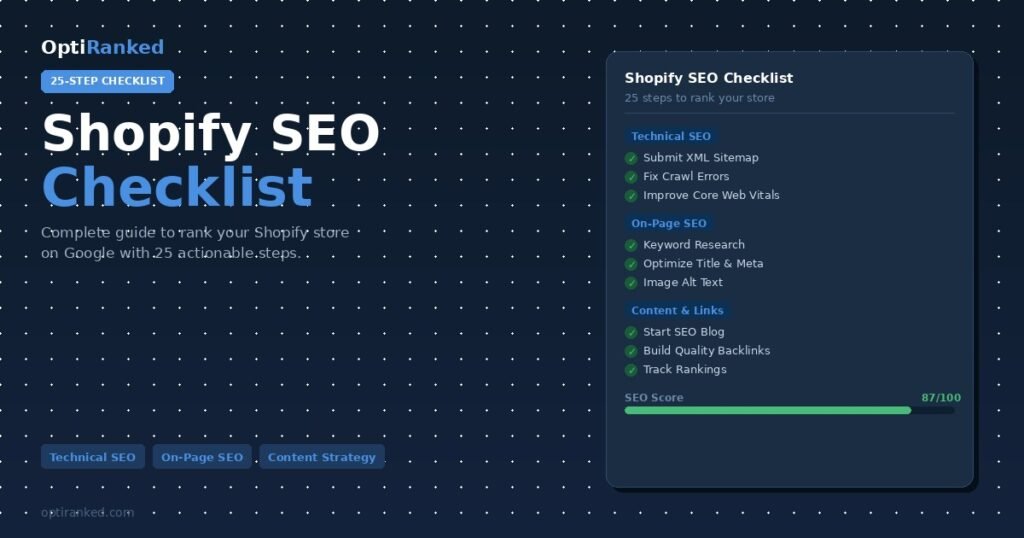
If you run a Shopify store and want more customers from Google, you need a clear, actionable Shopify SEO checklist.
Shopify is one of the most popular eCommerce platforms in the world, but good products alone do not guarantee visibility in search results. Without a structured SEO strategy, even well-designed stores struggle to rank above competitors.
This guide gives you 25 proven steps to optimize your Shopify store for Google in 2026 from technical fixes and on-page optimization to content strategy and link building.
Whether you are launching a new store or improving an existing one, follow this checklist to build a solid SEO foundation that drives consistent organic traffic and sales.
Table of Contents
- Technical SEO (Steps 1–7)
- On-Page SEO (Steps 8–14)
- Content Strategy (Steps 15–19)
- Link Building & Authority (Steps 20–22)
- Advanced & Local SEO (Steps 23–25)
- Frequently Asked Questions
Technical SEO: Build a Strong Foundation
Technical SEO ensures Google can crawl, understand, and index your Shopify store efficiently. Before optimizing content, make sure your technical foundation is solid.
Step 1: Submit Your Sitemap to Google Search Console
Shopify automatically generates an XML sitemap at https://your-store.myshopify.com/sitemap.xml. Submit this sitemap to Google Search Console to help Google discover and index all your important pages faster.
To submit your sitemap:
- Log in to Google Search Console
- Select your property
- Go to Sitemaps in the left menu
- Enter
sitemap.xmland click Submit
Regularly check for crawl errors and fix any pages that return errors or are blocked from indexing.
Step 2: Fix Crawl Errors and Broken Links
Broken links send users to dead pages and waste Google’s crawl budget. Use Google Search Console’s Coverage report and tools like Screaming Frog or Ahrefs Site Audit to identify and fix:
- 404 error pages (broken product or collection URLs)
- Redirect chains (multiple 301 redirects in a row)
- Orphan pages (no internal links pointing to them)
Set up 301 redirects in Shopify Admin → Online Store → Navigation → URL Redirects whenever you delete or rename a page.
Step 3: Improve Page Speed and Core Web Vitals
Google uses page speed as a ranking signal. Slow Shopify stores lose rankings and customers. Target these Core Web Vitals benchmarks:
| Core Web Vital | Good Score | What It Measures |
|---|---|---|
| LCP (Largest Contentful Paint) | Under 2.5 seconds | Loading speed of main content |
| INP (Interaction to Next Paint) | Under 200ms | Responsiveness to user input |
| CLS (Cumulative Layout Shift) | Under 0.1 | Visual stability of page elements |
Quick wins for Shopify speed:
- Compress and convert images to WebP format
- Remove unused Shopify apps (each adds JavaScript)
- Use a lightweight, performance-optimized Shopify theme
- Enable lazy loading for images
- Minimize custom JavaScript
Step 4: Make Your Store Mobile-Friendly
Google uses mobile-first indexing, meaning it primarily uses the mobile version of your store for ranking. Most Shopify themes are responsive by default, but you should still test and verify.
Use Google’s Mobile-Friendly Test to check your store. Common mobile issues to fix include:
- Text too small to read without zooming
- Buttons too close together to tap accurately
- Images wider than the screen
- Pop-ups that cover main content
Step 5: Set Up Canonical Tags Correctly
Shopify creates duplicate content issues because product pages can appear under multiple URLs. Canonical tags tell Google which version of a URL is the “official” one. Shopify automatically adds canonical tags, but review them to ensure they point to the correct URLs.
Step 6: Implement HTTPS Across Your Entire Store
HTTPS is a confirmed Google ranking signal and a basic security requirement for eCommerce stores. Shopify provides a free SSL certificate for all stores. Check that your store is fully loading over HTTPS with no mixed content warnings.
Step 7: Add Structured Data (Schema Markup)
Structured data helps Google understand your content and can generate rich results in search — star ratings, price, availability, and more directly in the search results.
Priority schema types for Shopify stores:
- Product schema: name, price, availability, reviews, images
- BreadcrumbList schema: navigation path for product and collection pages
- Organization schema: brand details for the homepage
- FAQPage schema: for pages with frequently asked questions
On-Page SEO: Optimize Every Page That Matters
Step 8: Conduct Thorough Keyword Research
Effective keyword research is the foundation of your entire SEO strategy. For Shopify stores, focus on three types of keywords:
| Keyword Type | Example | Target Page |
|---|---|---|
| Informational | “how to care for leather shoes” | Blog post |
| Commercial / Navigational | “best leather shoes for men” | Collection page |
| Transactional | “buy leather Oxford shoes online” | Product page |
Step 9: Optimize Your Homepage for Brand + Primary Keywords
Your homepage typically has the most authority on your store. Optimize it for your primary brand keywords and core product category terms.
Homepage SEO essentials:
- Title tag: Brand Name Primary Keyword (under 60 characters)
- Meta description: Clear value proposition with primary keyword (under 160 characters)
- H1: One H1 tag per page using your main keyword naturally
- Above-the-fold content: Clearly state what you sell and who you serve
Step 10: Write SEO-Optimized Collection Page Titles and Descriptions
Collection pages (category pages) are often the highest-traffic SEO opportunity in a Shopify store. For each major collection page:
- Add a unique, keyword-rich title tag
- Write a 100–200 word introductory description above or below the product grid
- Use the primary keyword in the H1 heading
- Add relevant secondary keywords naturally in the description
- Include internal links to your top products and related collections
Step 11: Optimize Every Product Page
Product pages are where conversions happen. They also need strong SEO to attract transactional traffic.
Product page SEO checklist:
- Unique title tag using product name + key attributes + brand
- Compelling meta description with a call to action
- Original product description (not copied from the manufacturer)
- Customer reviews
- High-quality images with descriptive alt text
- Short, keyword-friendly URL slug (e.g.,
/products/leather-oxford-shoes)
Pro Tip: Never copy product descriptions from a supplier or manufacturer. Duplicate content across multiple stores using the same descriptions can hurt all of them. Write unique descriptions that describe benefits, not just features.
Step 12: Optimize Image Alt Text Across Your Store
Alt text helps visually impaired users understand images, and it tells search engines what an image shows. It is also how you can appear in Google Image Search. Best practices: describe the image accurately, include relevant keywords where they fit naturally, avoid keyword stuffing.
Step 13: Build a Strong Internal Linking Structure
Internal links pass authority between pages and help Google understand your site structure. Internal linking strategy for Shopify:
- Link from blog posts to relevant product and collection pages
- Link from collection pages to featured or bestselling products
- Link from product pages to related products and upsells
- Include breadcrumbs for clear navigation paths
- Ensure all important pages are reachable within 3 clicks from the homepage
Step 14: Fix Duplicate Content Issues
| Duplicate Content Issue | How to Fix It |
|---|---|
| Products in multiple collections | Canonical tag to main product URL |
| Paginated collection pages (?page=2) | Canonical to page 1 |
| www vs non-www versions | 301 redirect one version to the other |
| Variant pages (color, size) | Canonical to parent product page |
Content Strategy: Build Topical Authority
Step 15: Start a Shopify Blog Targeting Informational Keywords
Shopify includes a built-in blog feature that most store owners ignore. A well-optimized blog builds topical authority, attracts top-of-funnel traffic, and creates internal linking opportunities to your product pages.
Effective blog content types for eCommerce:
- How-to guides related to your products
- Comparison articles (“Product A vs Product B”)
- Best-of lists (“10 Best Running Shoes for Beginners”)
- Buying guides (“How to Choose the Right Running Shoe”)
- Product care and usage tips
Step 16: Optimize Blog Posts for Featured Snippets
Featured snippets appear at the top of Google search results (position zero). Structure content to target them by asking a question in an H2 or H3 heading and answering it directly below in 40–60 words, using numbered lists for step-by-step processes, and using tables for comparison data.
Step 17: Create Buying Guides and Resource Pages
Buying guides target users who are researching before purchasing. A good buying guide covers the topic comprehensively, explains what to look for when buying, links to relevant products in your store, answers common objections, and is updated regularly.
Step 18: Use SEO-Friendly URLs Throughout Your Store
Clean, descriptive URLs are easier for users to understand and provide keyword context to search engines.
URL best practices:
- Use hyphens to separate words (not underscores)
- Include the primary keyword in the URL
- Keep URLs short and descriptive
- Avoid dates in product and category URLs
- Example:
/collections/mens-leather-shoesbeats/collections/collection-1
Step 19: Add FAQs to Product and Collection Pages
FAQ sections serve multiple SEO purposes: they answer common user questions, target long-tail keywords, and are eligible for FAQ rich results in Google search. Research questions your customers actually ask by checking Google’s “People Also Ask” section, your own customer service emails, and competitor product reviews.
Link Building and Authority
Step 20: Get Your Store Listed in Relevant Directories and Platforms
Start with foundational listings: Google Business Profile (essential for local visibility), Bing Places for Business, industry-specific directories, chamber of commerce websites, and trusted review platforms (Trustpilot, Google Reviews). Ensure your business NAP (Name, Address, Phone) is consistent across all listings.
Step 21: Earn Backlinks Through Content and Digital PR
High-quality backlinks from authoritative websites are among the most powerful SEO signals. Strategies that work for Shopify stores:
- Create linkable assets — original research, data studies, unique infographics, or comprehensive guides
- Guest posting — write articles for industry blogs and publications
- Supplier/brand links — ask suppliers to link to your store on their “where to buy” pages
- Unlinked mentions — find brand mentions without links and request them to be added
- Product reviews — send products to bloggers and YouTubers for reviews
Step 22: Analyze and Disavow Toxic Backlinks
Low-quality or spammy backlinks can potentially hurt your rankings. Regularly audit your backlink profile using Ahrefs or Google Search Console. Use Google’s Disavow Tool only as a last resort for clearly harmful links.
Advanced SEO: Go Beyond the Basics
Step 23: Optimize for Google Shopping and Product Listings
A well-optimized Google Merchant Center feed reinforces your product relevance signals. Ensure your product feed includes accurate GTINs, high-resolution product images, detailed keyword-rich product titles, correct pricing and availability data, and proper product categorization.
Step 24: Track Rankings and Traffic with the Right Tools
| Tool | What It Tracks | Free/Paid |
|---|---|---|
| Google Search Console | Impressions, clicks, rankings, indexing | Free |
| Google Analytics 4 | Traffic, sessions, conversions, revenue | Free |
| Ahrefs or Semrush | Keyword rankings, backlinks, competitor analysis | Paid |
| Screaming Frog | Technical crawl audit | Free (limited) / Paid |
Review your SEO performance monthly. Track keyword rankings, organic traffic, conversion rate from organic, and revenue from organic channels.
Step 25: Optimize for Google AI Overviews and AI-Powered Search
In 2026, Google’s AI Overviews appear for a significant percentage of commercial queries. To have your Shopify store referenced in AI Overviews:
- Publish genuinely helpful, expert-level content that answers specific questions
- Structure content with clear headings, direct answers, and supporting evidence
- Build E-E-A-T signals: Experience, Expertise, Authoritativeness, and Trustworthiness
- Earn mentions and links from authoritative industry sources
- Add author bios and “About” information to your content
- Keep product and policy information accurate and up to date
Need expert help with your Shopify SEO?
At OptiRanked, we specialize in eCommerce SEO for Shopify stores — from technical audits and on-page optimization to content strategy and link building. Contact OptiRanked for a free SEO consultation.
Shopify SEO Checklist: Complete 25-Step Summary
| # | SEO Task | Category | Priority |
|---|---|---|---|
| 1 | Submit sitemap to Google Search Console | Technical | High |
| 2 | Fix crawl errors and broken links | Technical | High |
| 3 | Improve page speed and Core Web Vitals | Technical | High |
| 4 | Ensure mobile-friendly design | Technical | High |
| 5 | Set up canonical tags correctly | Technical | Medium |
| 6 | Verify full HTTPS implementation | Technical | High |
| 7 | Add structured data / schema markup | Technical | Medium |
| 8 | Conduct keyword research | On-Page | High |
| 9 | Optimize homepage title, meta, H1 | On-Page | High |
| 10 | Optimize collection page titles and descriptions | On-Page | High |
| 11 | Optimize each product page | On-Page | High |
| 12 | Add keyword-rich image alt text | On-Page | Medium |
| 13 | Build strong internal linking structure | On-Page | High |
| 14 | Fix duplicate content issues | On-Page | Medium |
| 15 | Start SEO-focused blog | Content | High |
| 16 | Optimize for featured snippets | Content | Medium |
| 17 | Create buying guides and resource pages | Content | Medium |
| 18 | Use SEO-friendly URLs | Content | High |
| 19 | Add FAQs to key pages | Content | Medium |
| 20 | List in relevant directories | Links | Medium |
| 21 | Earn backlinks through content and PR | Links | High |
| 22 | Audit and disavow toxic backlinks | Links | Low |
| 23 | Optimize Google Shopping feed | Advanced | Medium |
| 24 | Track rankings and traffic with tools | Advanced | High |
| 25 | Optimize for Google AI Overviews | Advanced | High |
Need expert help implementing this checklist? OptiRanked offers professional SEO services in Lahore and across Pakistan — from technical audits to full Shopify SEO management. Visit OptiRanked.com to get a free consultation.
Ready to Rank Your Shopify Store?
This Shopify SEO checklist gives you the foundation — but implementing all 25 steps correctly takes time, expertise, and ongoing effort. OptiRanked specializes in eCommerce SEO for businesses that want sustainable, long-term growth from Google.
 SEO
SEO  SEO Pricing